Entering a Replacement DIN for a Drug
This topic is intended for Independent pharmacies only and is not applicable to Rexall pharmacies.
The Replacement DIN feature ensures that you use the drug's most recent DIN when filling prescriptions. A Replacement DIN can be an interchangeable or non-interchangeable of the original DIN. Any modifications to the Replacement DIN field are logged in the Drug Folder History tab.
A Replacement DIN can be used for example in the following scenarios:
-
When the DIN for a drug changes, the Replacement DIN links the new DIN to the old DIN.
-
When a new drug is released on the market but not yet listed on PharmaClik Ordering, you may add it as a free-form drug with a negative PIN. Once the drug is added through a drug file update, you can link the real DIN and negative PIN so prescriptions are filled using the correct DIN.
-
When switching from one OTC to another.
To enter a Replacement DIN:
-
Select the Drug navigator button
 .
. -
Search for and select the drug's old DIN (i.e., the DIN that you no longer want to use).
-
In the Drug Folder Main tab, enter the new DIN in the Rpl DIN field.
-
If the Replacement DIN is not an interchangeable of the old DIN, a prompt appears.
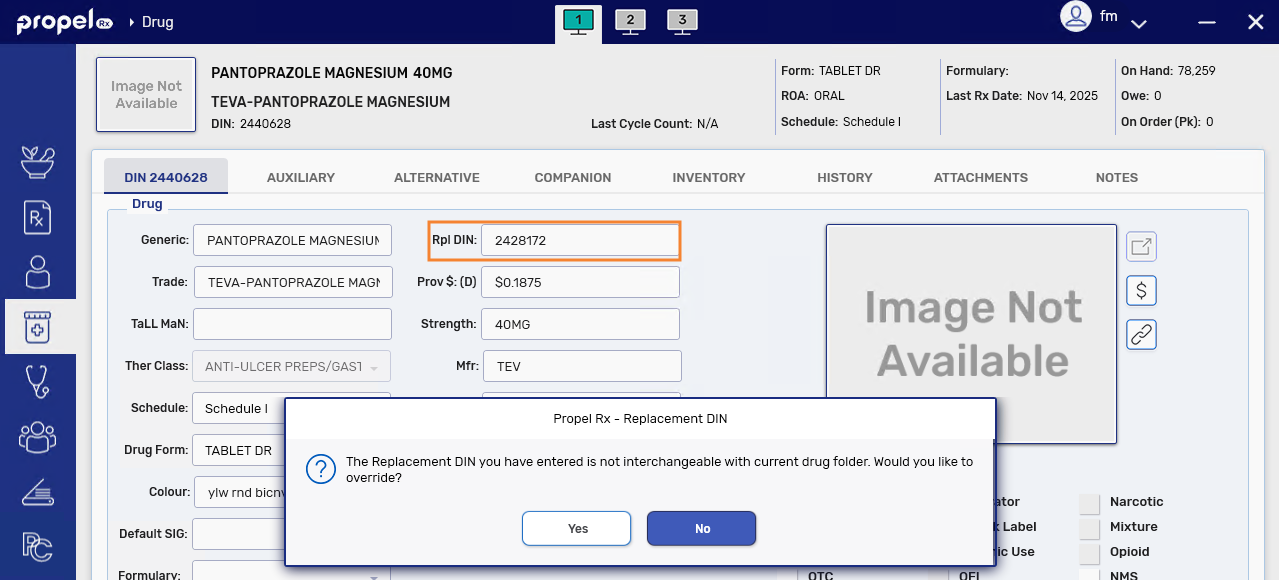
Select Yes to continue.
-
Select Save.
-
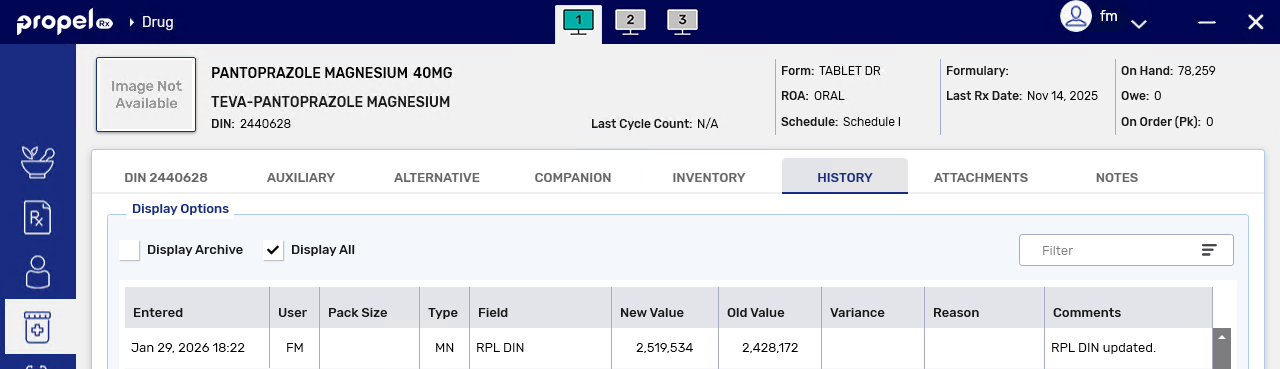
A record is added to the Drug Folder History tab indicating the Rpl DIN and the ID of the user who made the change.
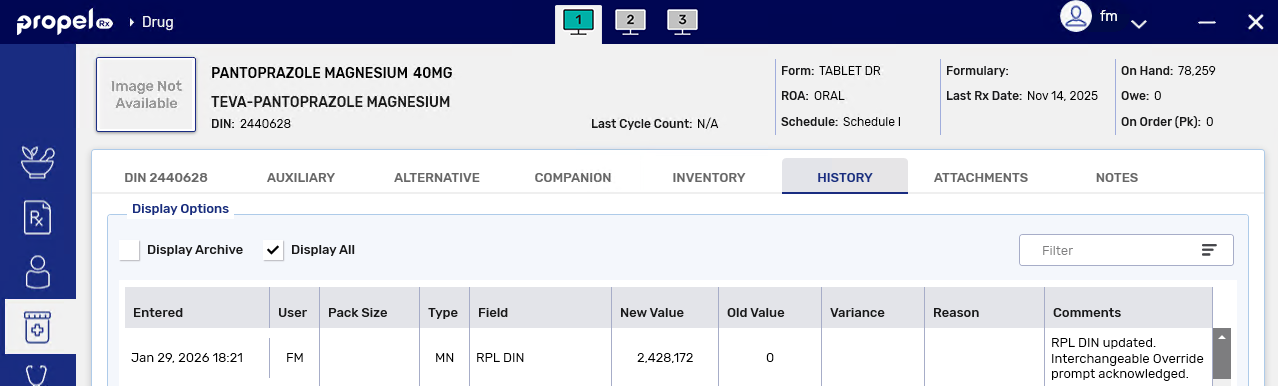
If a non-interchangeable drug was entered, an additional comment of "Interchangeable Override prompt acknowledged" appears.
-
Processing a Prescription with a Replacement DIN
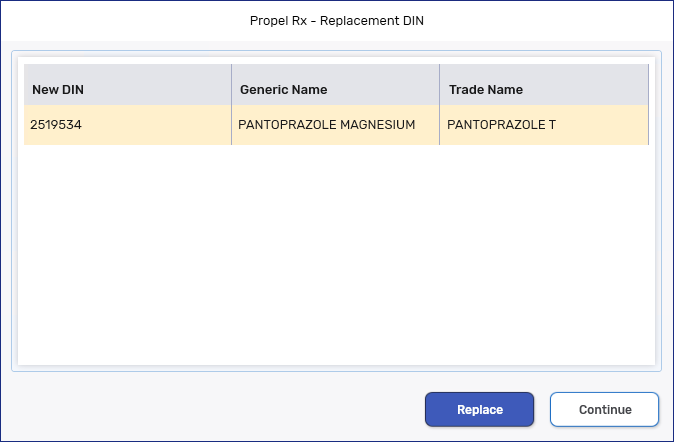
When a drug with a Replacement DIN is processed, a prompt appears in Rx Detail with the option to continue processing the old DIN or the new DIN.
-
If Continue is selected, the old DIN loads into Rx Detail.
-
If Replace is selected, the new DIN loads into Rx Detail. If the prescription is a refill or reauthorization, the new prescription is placed on top of the existing chain. In the Audit History, the newly added row will show the new DIN.